
Burn Zombie Burn
Cliff Notes > Briefs > Steam > Steam Deck
"Burn Zombie Burn" is quite a fun game - not QUITE there but fun. However, it tends to crash before you reach the main menu if you try to run it on the Steam Deck. There are a couple of handy clue to getting it to work - although I should warn you that there are certain effects that don't work so well (you get black squares around your character in certain circumstances). It's not game-breaking, but is a little irritating.
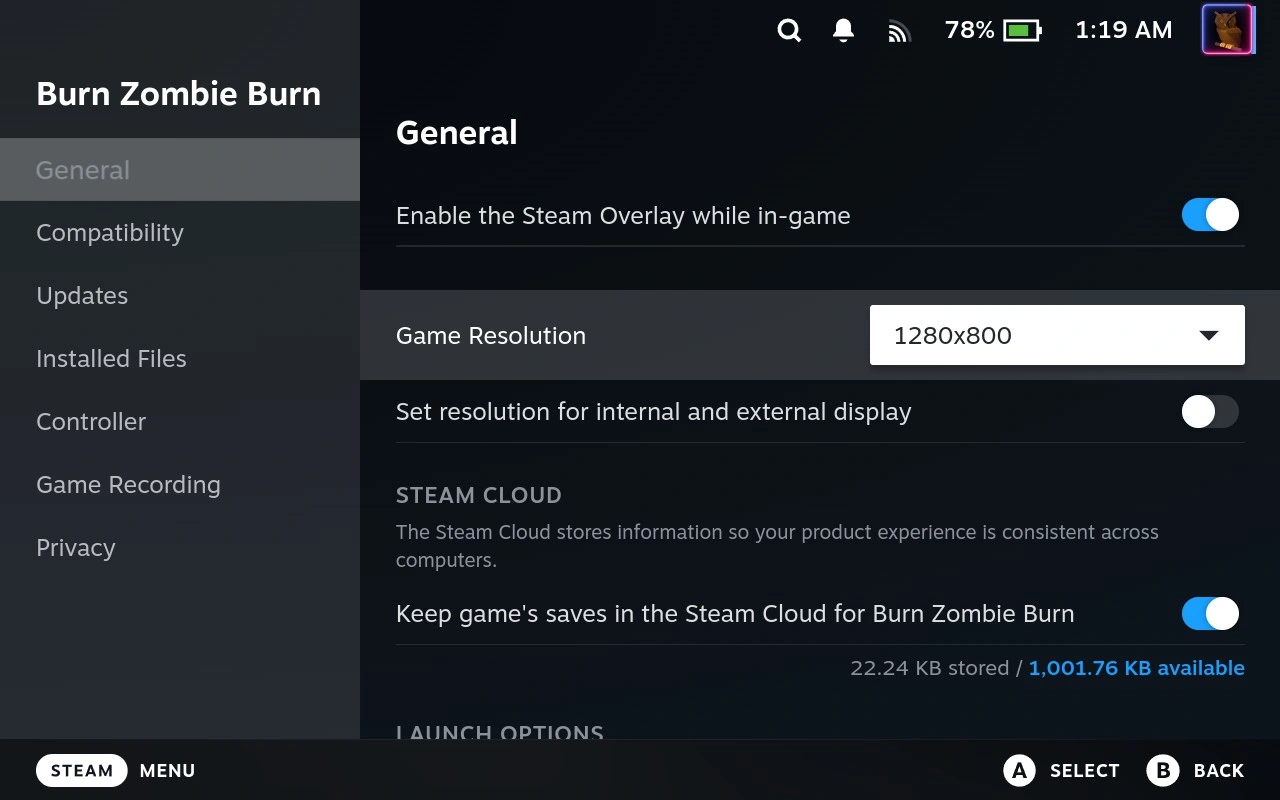
Start by setting the screen resolution (BEFORE running the game) so that it always gets the resolution that the game can handle (1280 * 800).
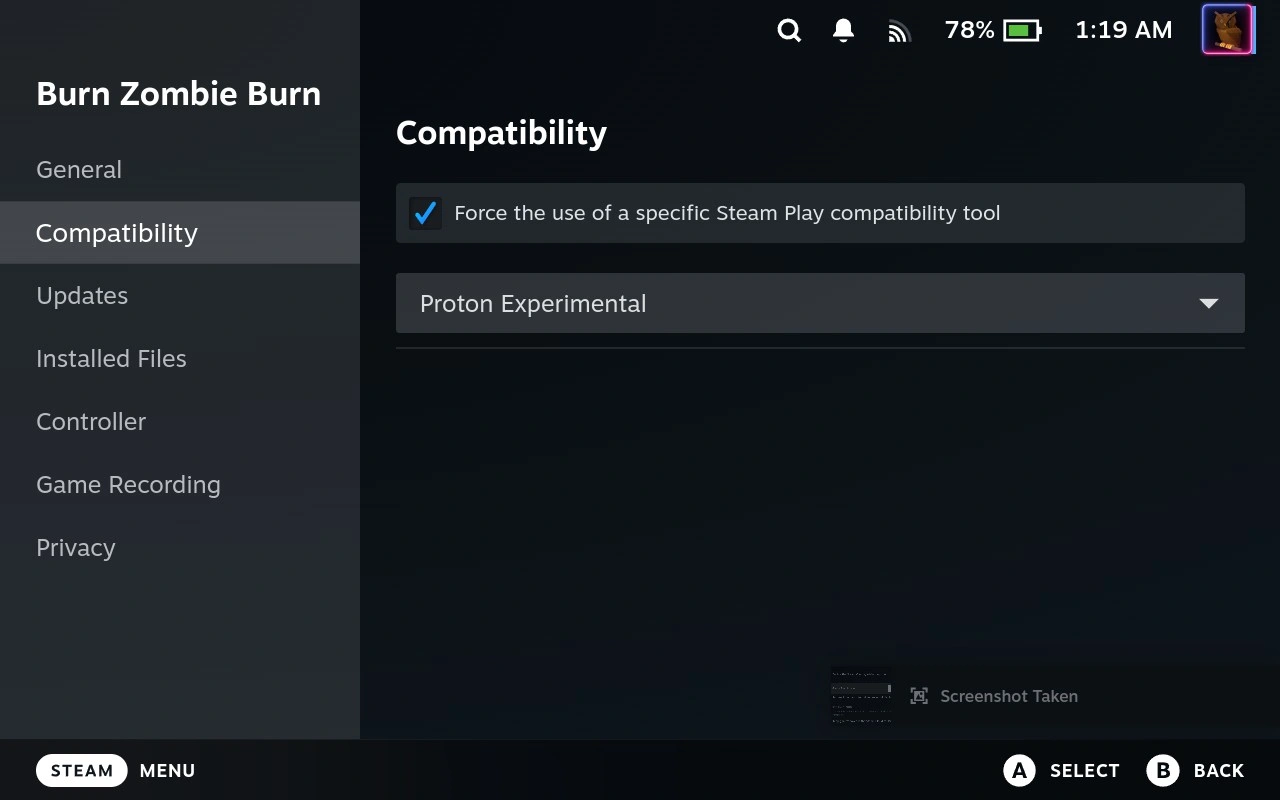
Force the use of the "Proton Experimental" compatibility tool.
That's it! Enjoy the game :)